Now in closed testingon Google Play

Know Your Money.

Daamly is a simple, private expense tracker. Set a daily budget that starts on payday, see where your money goes, and split bills with friends. In rupees by default, or any currency you like.

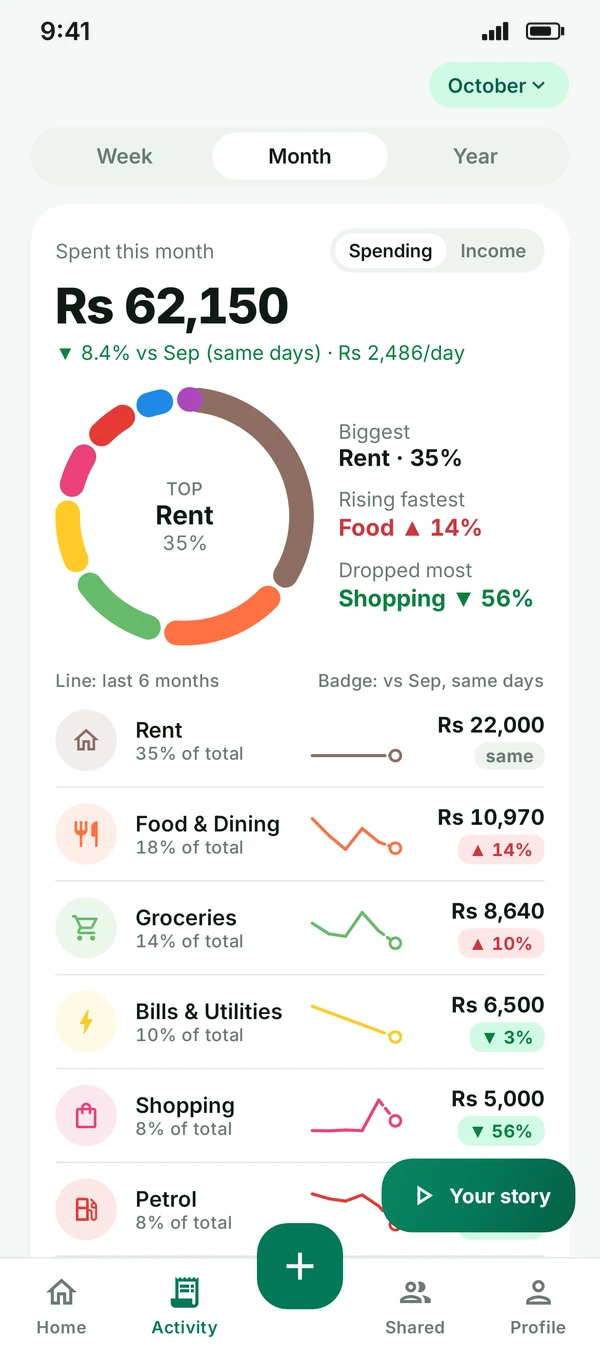
Insights: spending by category with a donut chart
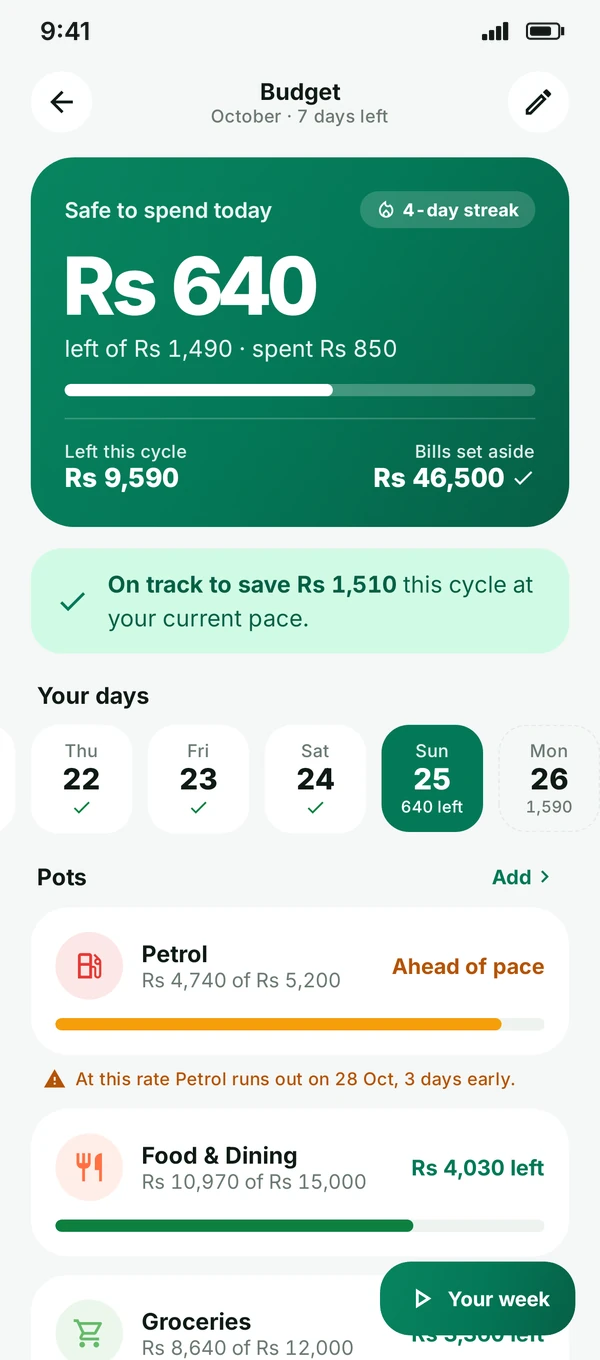
Daily budget: Rs 640 safe to spend today
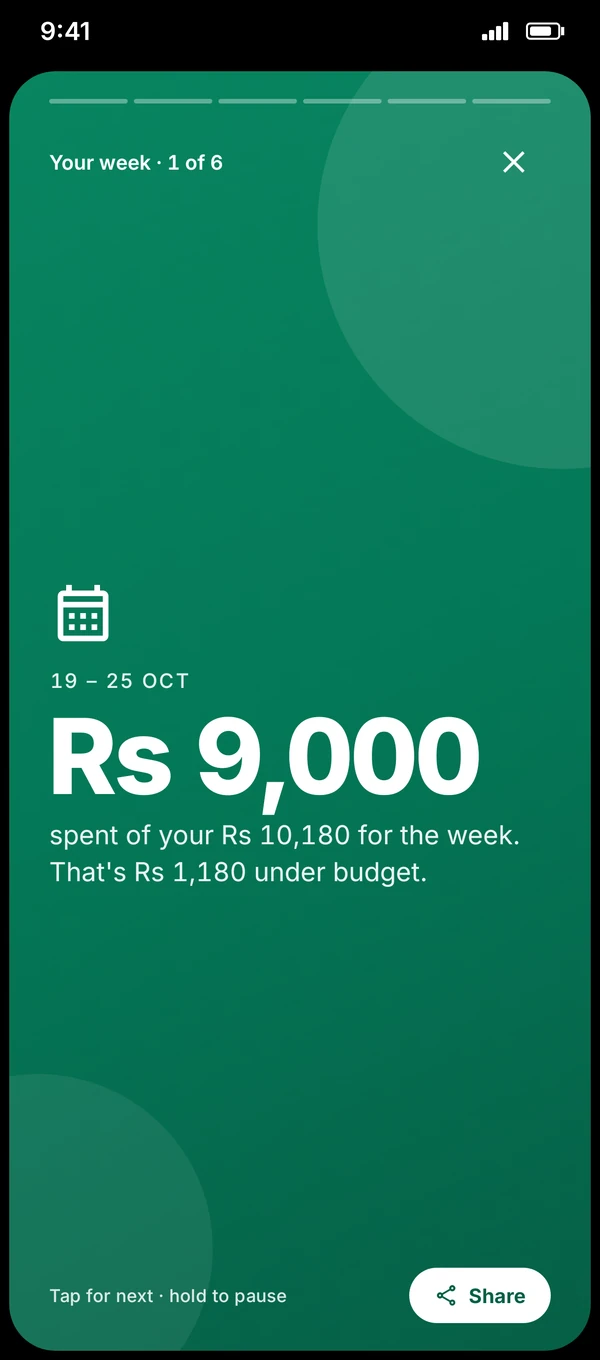
Your week story: Rs 9,000 spent of Rs 10,180
Safe to spend todayRs 640
Under budget this weekRs 1,180
No ads, no trackersNo account neededWorks offlinePKR by default · any currency
Features

Simple on the surface. Smart underneath.

Everything you need to stay on top of your money, built for cash, cards, bank transfers and everything in between.

01 · LOG IN SECONDS

Add an expense before your tea gets cold.

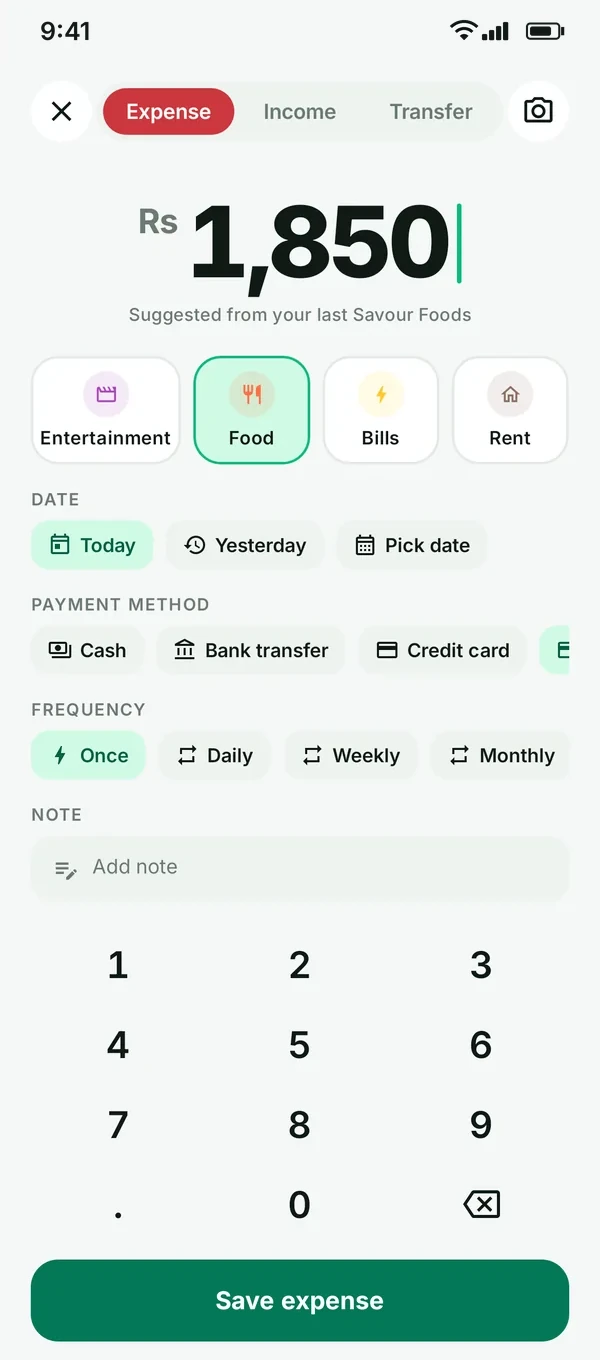
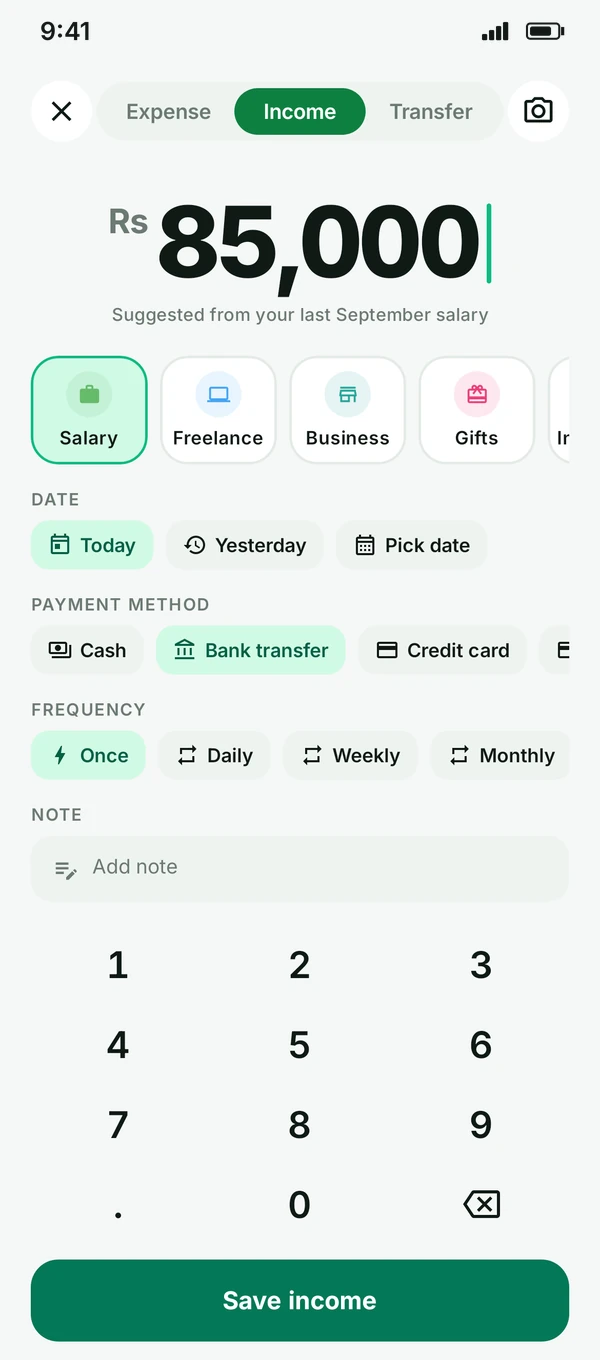
Type the amount on a big keypad, tap a category and you’re done. Expense, income or transfer; today, yesterday or any date; cash, bank transfer or card; a note and a receipt photo if you like.

  • Expense · Income · Transfer
  • Receipt photos
  • Repeat daily, weekly or monthly
Adding an expense: Rs 1,850 for food
Adding income: Rs 85,000 salary, received by bank transfer
02 · DAILY BUDGETNEW

Know what’s safe to spend today.

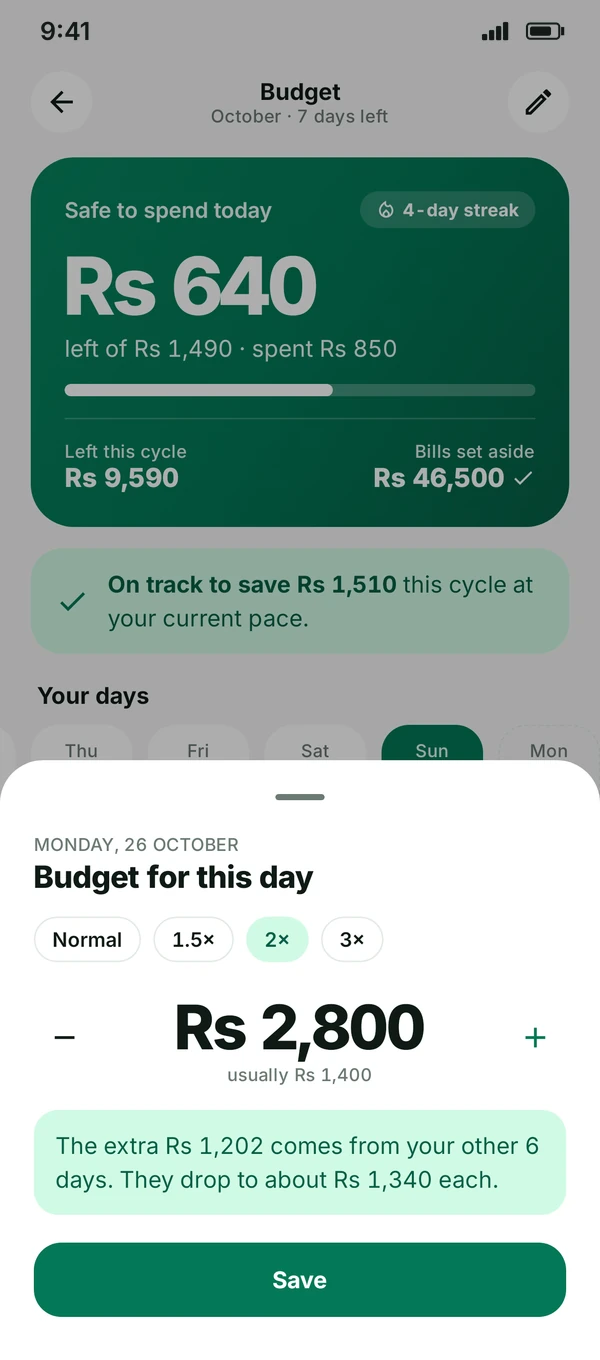
Tell Daamly your salary and your payday. Rent, bills and savings come out first, and the rest becomes a daily amount. Spend less today and tomorrow gets a little more; go over and it’s spread gently across the days left.

  • Starts on your payday
  • Bills first, then daily spending
  • Pace check: on track to save
Budget screen: Rs 640 safe to spend today, on track to save Rs 1,510 this cycle
Make a day heavier: Monday set to 2×, Rs 2,800 instead of Rs 1,400, with the other six days adjusting to about Rs 1,340 each
03 · INSIGHTSNEW

See exactly where the money went.

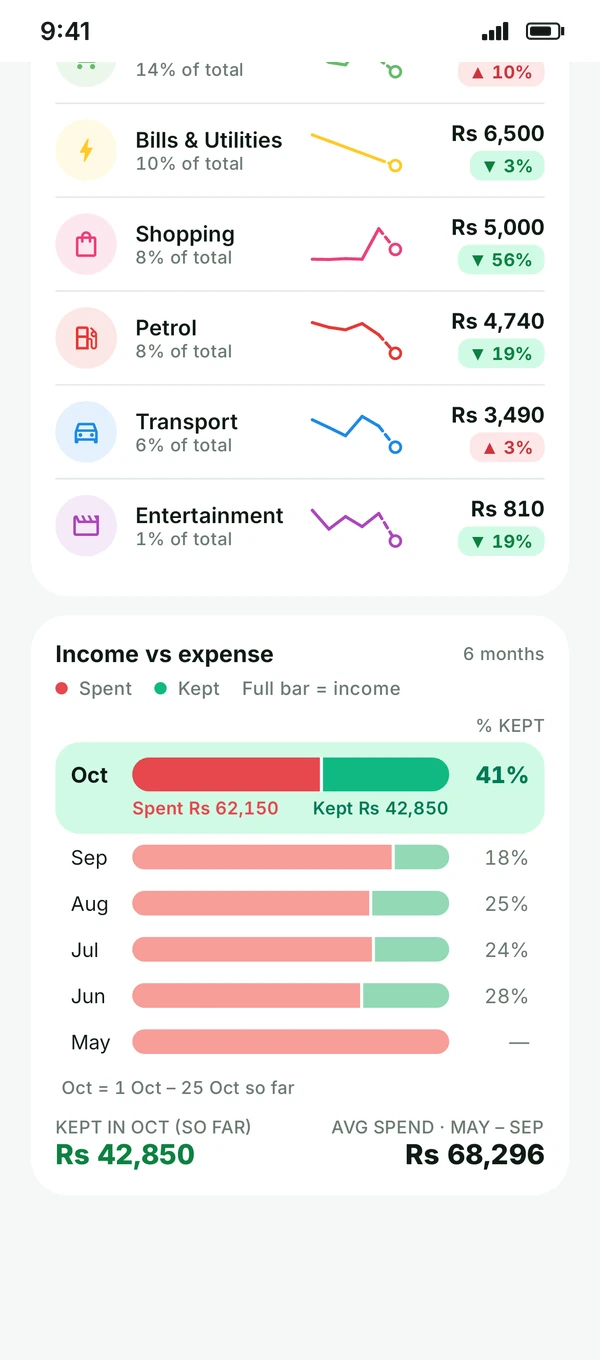
A new donut shows your biggest category, what’s rising fastest and what dropped most. Every category gets a six-month trend line and a badge against last month. And the money flow bars show, month by month, how much of your income you spent and how much you kept.

  • Biggest · Rising fastest · Dropped most
  • 6-month trend per category
  • Spent vs kept, every month
Insights: donut chart with Rent as the top category at 35%, and Biggest, Rising fastest and Dropped most callouts
Category rows with 6-month trend lines, and money flow bars: Rs 42,850 kept in October so far
04 · YOUR STORY

Your month, told in five cards.

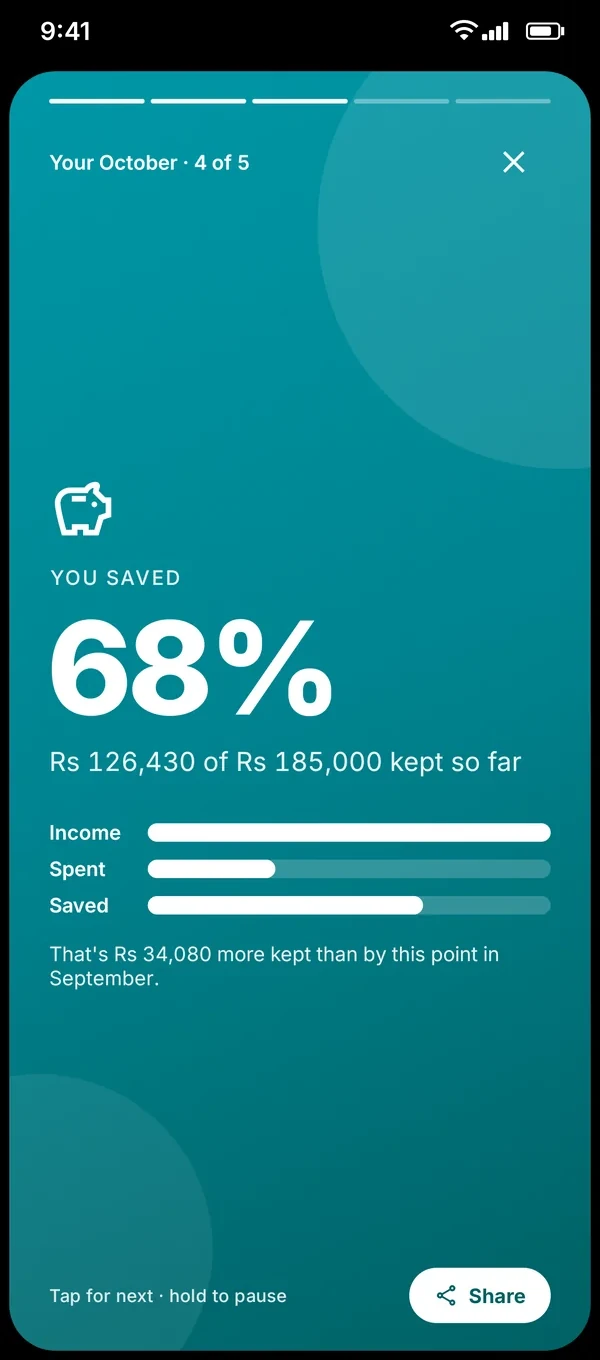
Tap “Your story” on Insights for a short recap of the month: what you spent, saved and where. Share a card with friends, with the amounts hidden if you prefer.

  • 5-card monthly recap
  • Share as an image
  • Hide amounts
Story card: you saved 68%
05 · YOUR MONTH AT A GLANCE

One look tells you how the month is going.

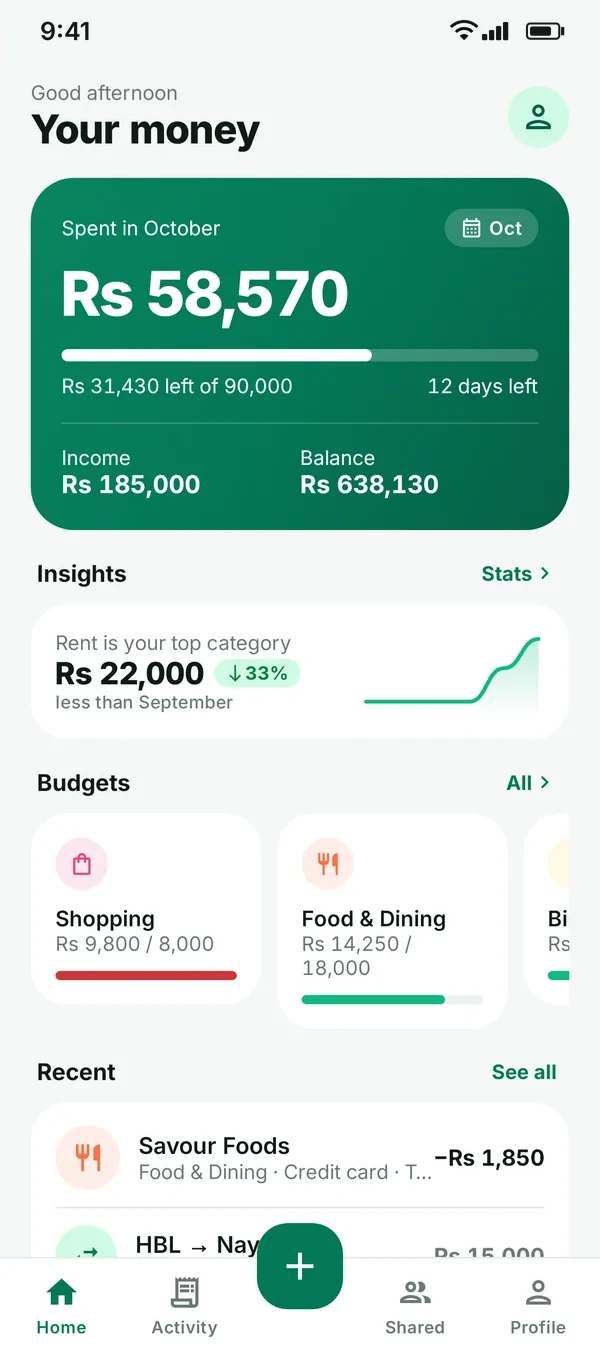
Home shows what you’ve spent this month, how many days are left, your income and balance, a quick insight and your latest entries.

  • Spent this month
  • Days left
  • Recent activity
Home screen: what you spent this month
06 · ACCOUNTS & TRANSFERS

Moving money isn’t spending it.

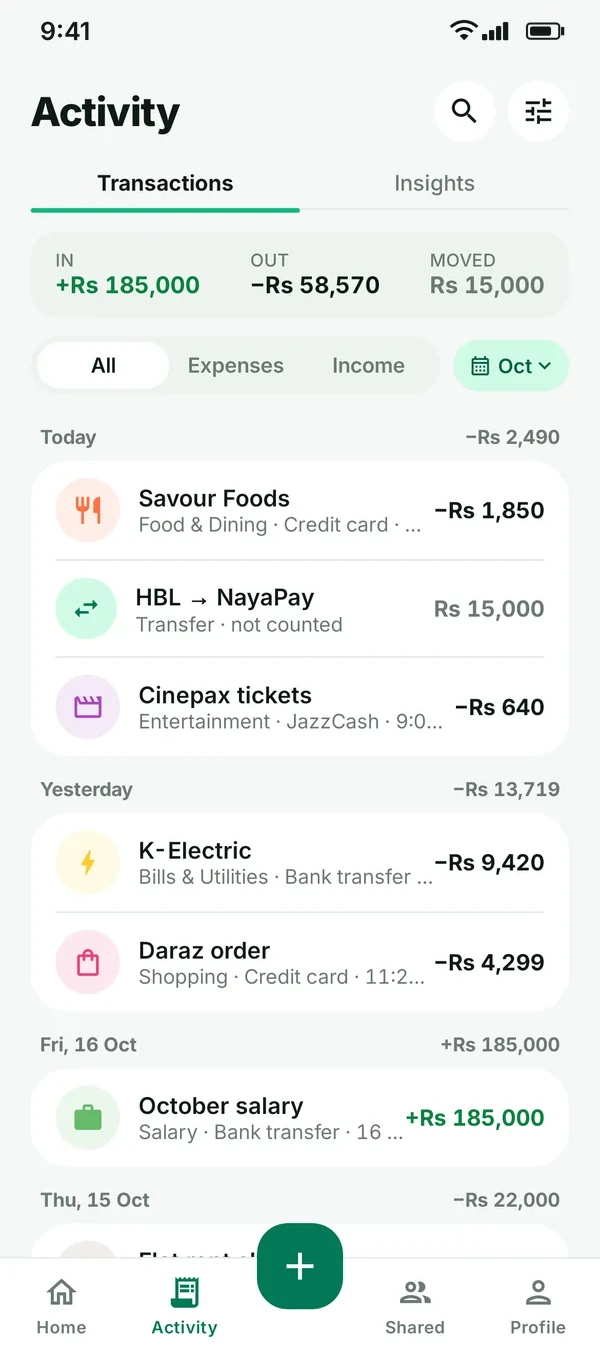
Add your accounts, like your bank account, a card or cash. Moving money between them is recorded as a transfer, so it never inflates your spending.

  • Bank, card & cash accounts
  • Transfers
  • Clean totals
Activity list with a transfer between two accounts

Search & filters

Find any entry by note, category or amount.

Recurring entries

Rent, bills and salary that repeat on their own.

Budget reminders

Morning, end of day and a Sunday recap. Turn each one on or off.

Export to CSV

Take your data to a spreadsheet anytime.

6 colour themes

Plus light, dark or follow your phone.

Any currency

Starts in PKR with no setup step. Pick any currency you like in Profile.

Sync if you want

Continue with Google or email to use it on all your devices.

Receipt photos

Snap or pick a photo and keep it with the entry.

New · Daily budget

A budget that starts on payday.

Four quick steps turn your salary into one simple number: what’s safe to spend today.

STEP 1

Salary & payday

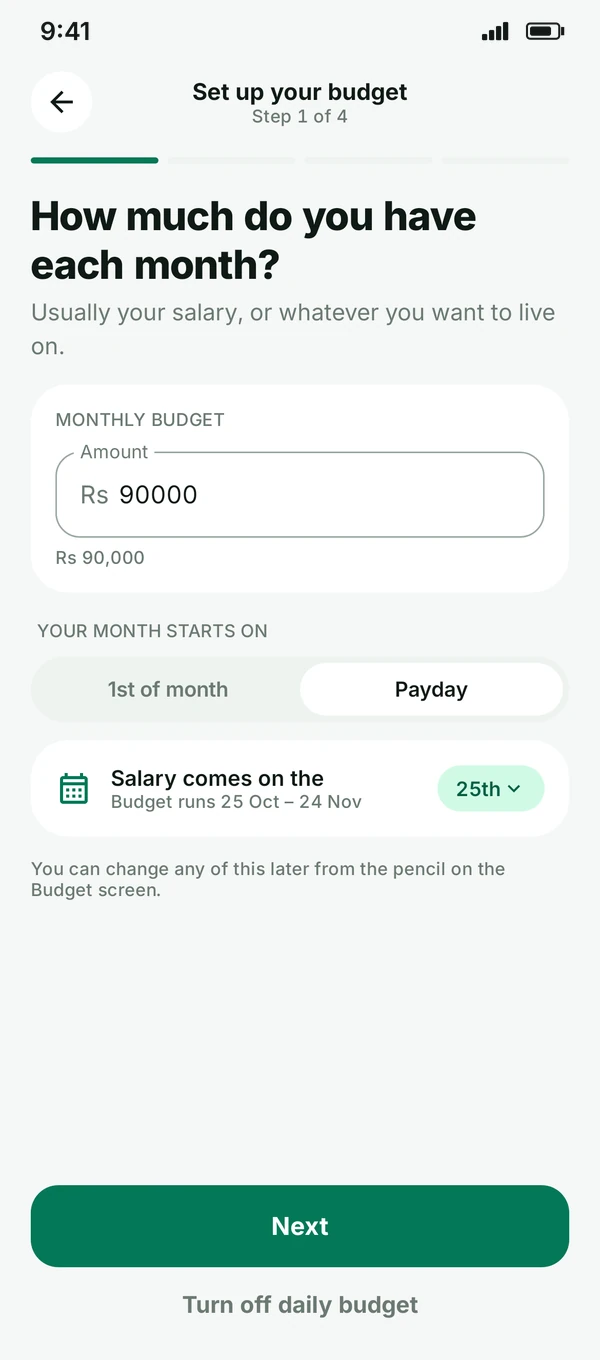
Enter what you live on each month and the day your salary lands. Your budget runs payday to payday, not 1st to 31st.

Set up step 1: Rs 90,000 a month, starting on the 1st or on payday
STEP 2

Bills first

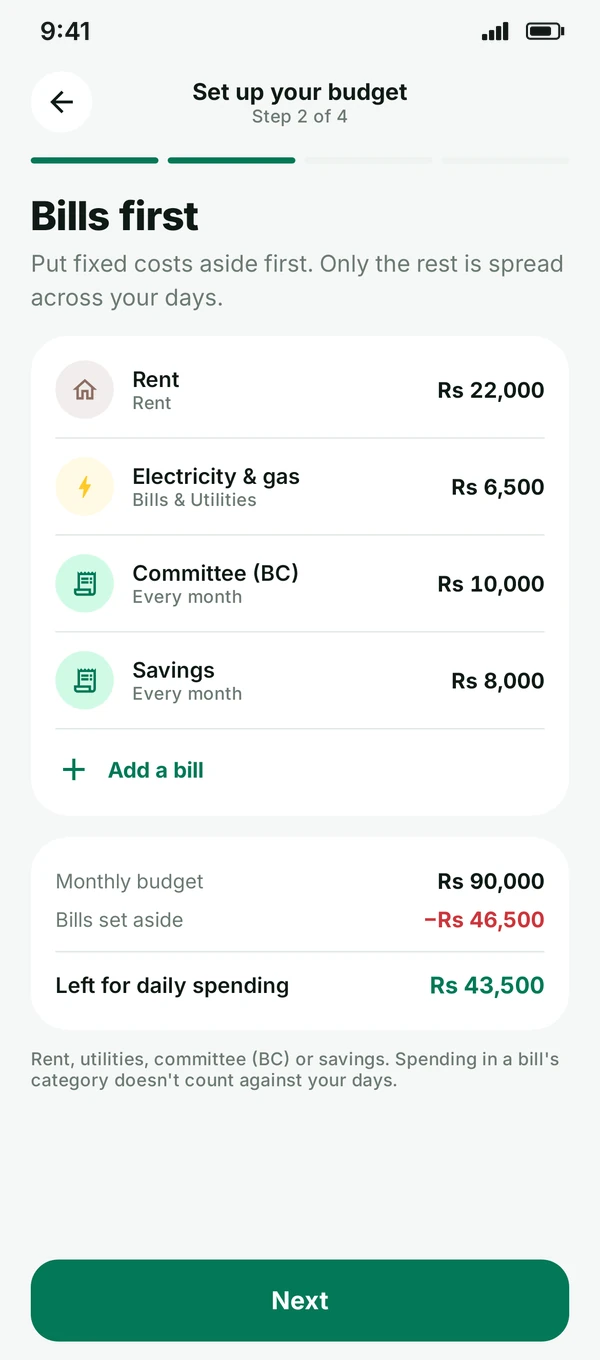
Rent, electricity and gas, savings and other fixed costs are put aside before anything else.

Bills first: Rs 46,500 set aside, Rs 43,500 left for daily spending
STEP 3

Heavier days

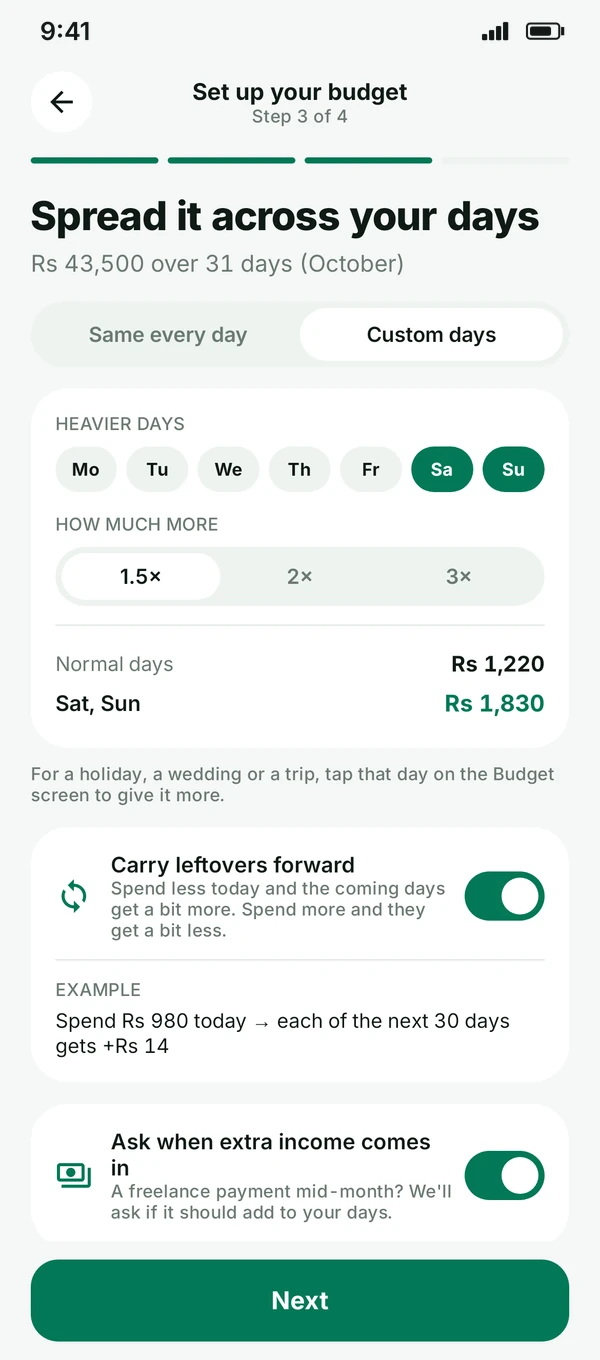
Make weekends 1.5×, 2× or 3× heavier, or tap any day, like a holiday or a wedding, to give it more. The other days quietly adjust.

Custom days: Saturday and Sunday set 1.5× heavier
STEP 4

Category pots

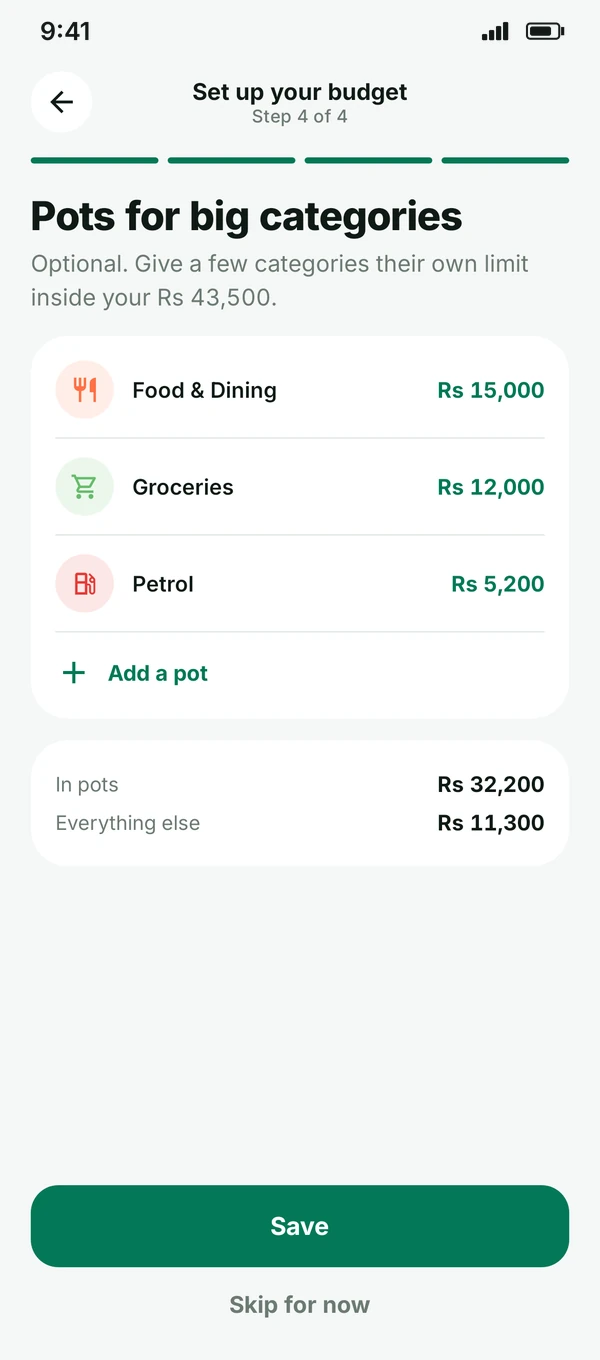
Optional pots for the big ones like food, groceries and petrol, with a warning if one is running out early.

Category pots for Food & Dining, Groceries and Petrol
Stay on track

Small wins, every day.

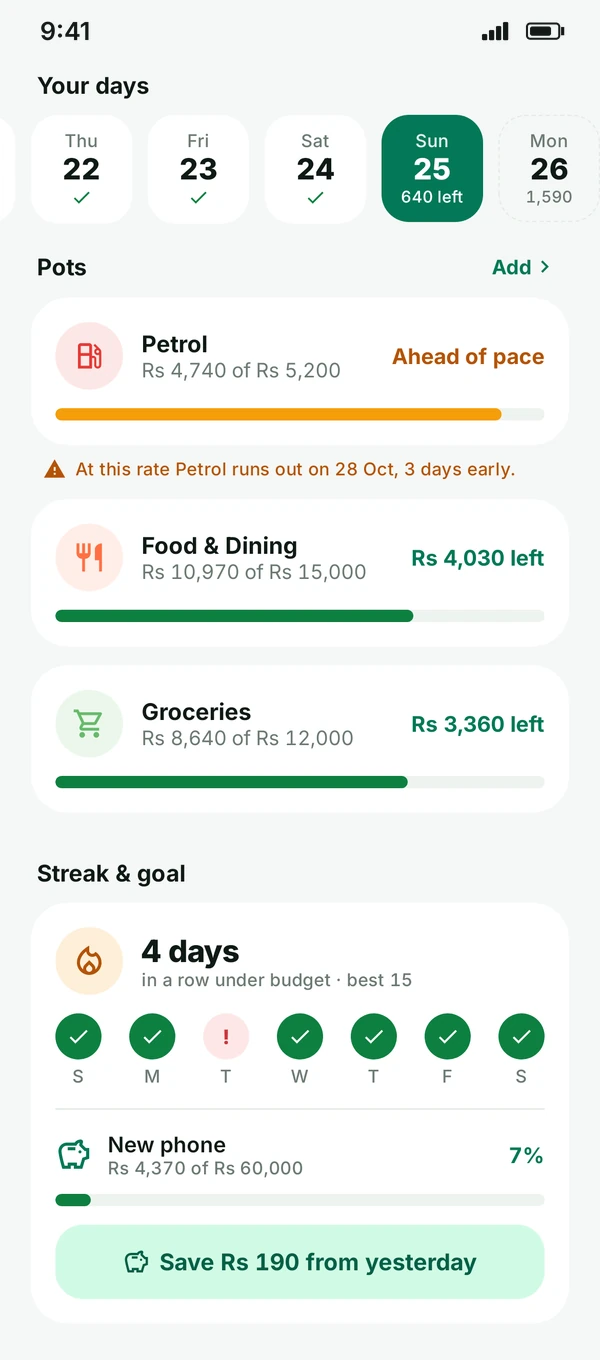
See your streak, how the cycle is pacing, and move what’s left over to a goal at the end of the day.

StreaksCount the days in a row you stay under budget.
Savings goalSend what’s left over to a goal, like a new phone.
Pace check“On track to save Rs 1,510 this cycle.”
Streak and goal: 4 days in a row under budget, New phone goal Rs 4,370 of Rs 60,000
Notifications

Gentle nudges, never nagging.

A morning number, a heads-up when you’re low or over, a summary at 9 PM and a weekly recap on Sunday. Turn each one on or off in Profile.

New · Your week

Every Sunday, your week as a story.

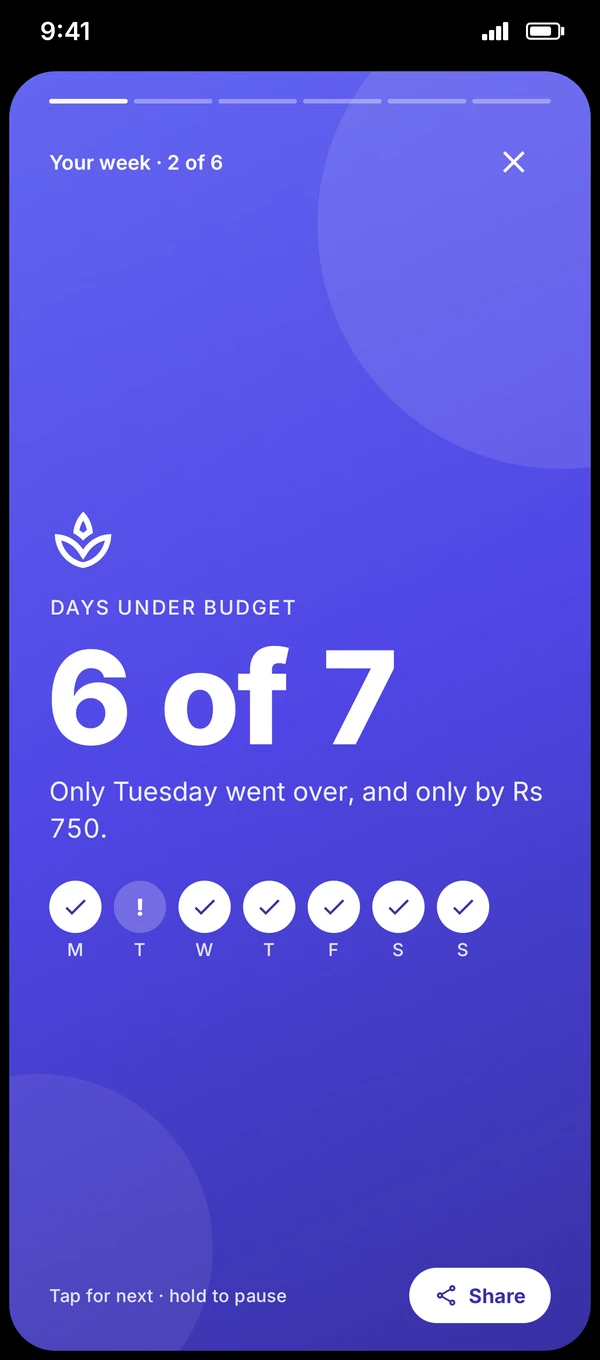
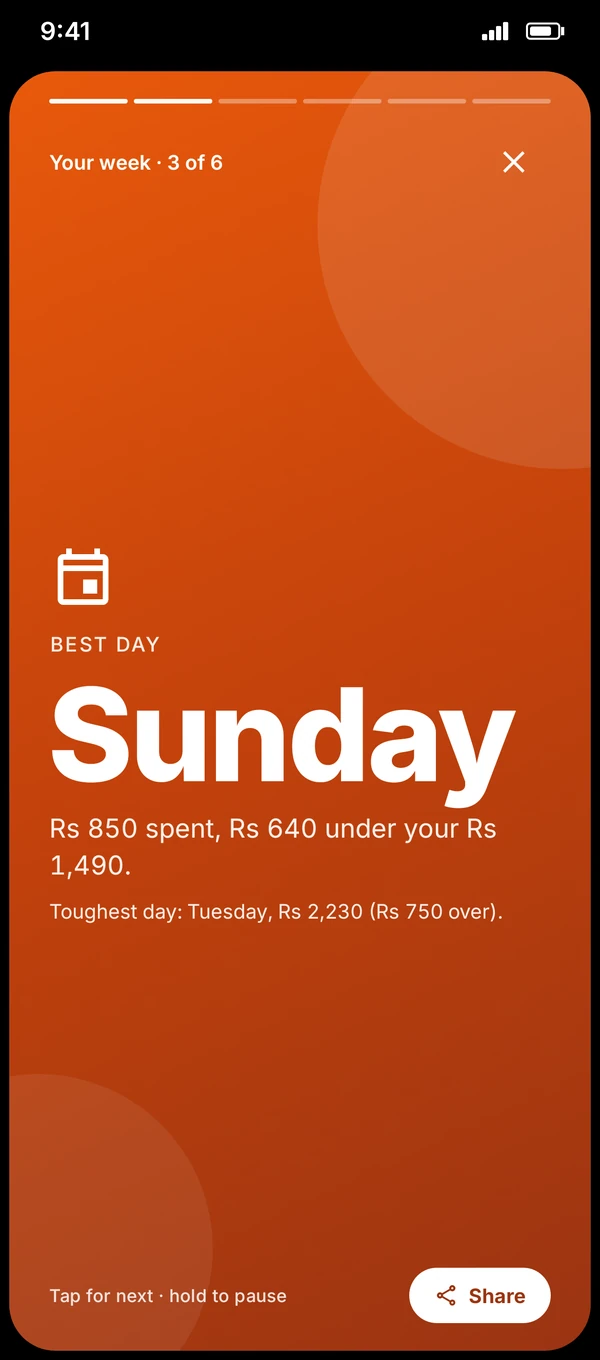
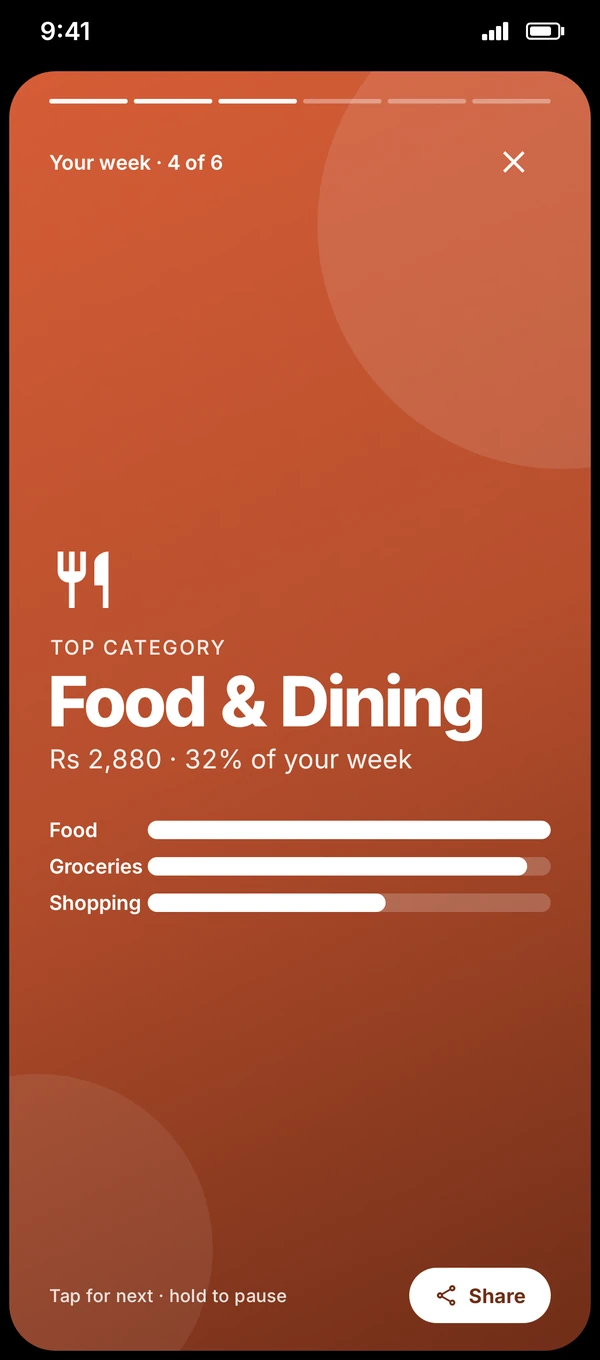
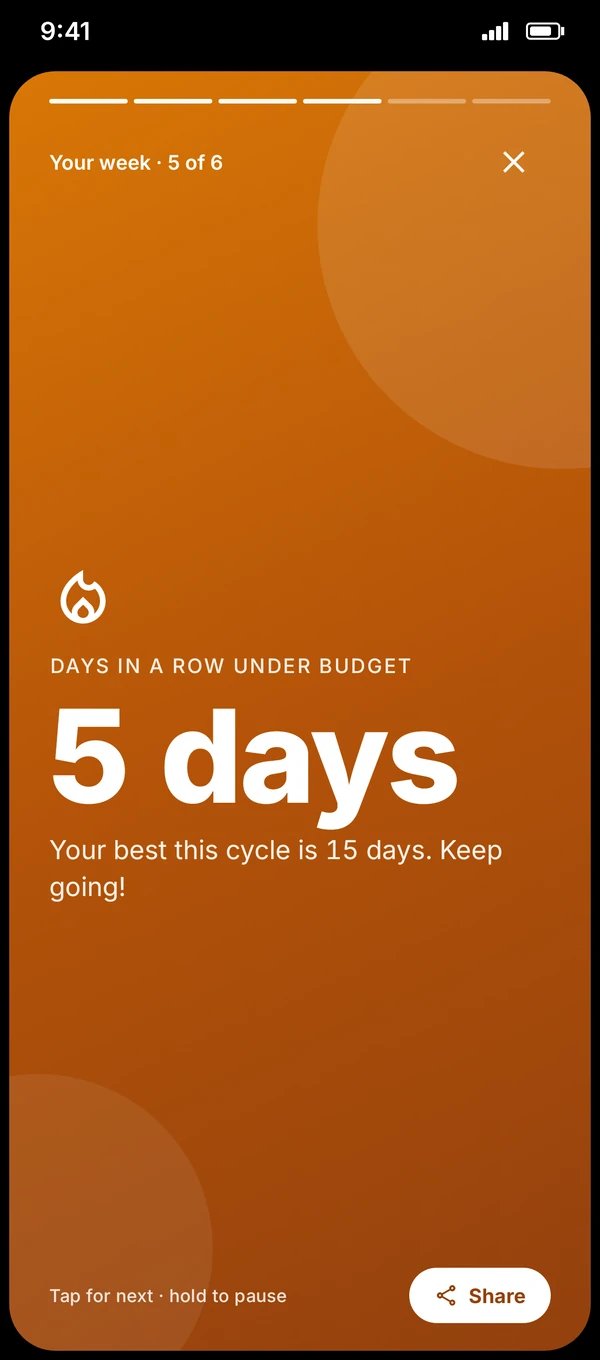
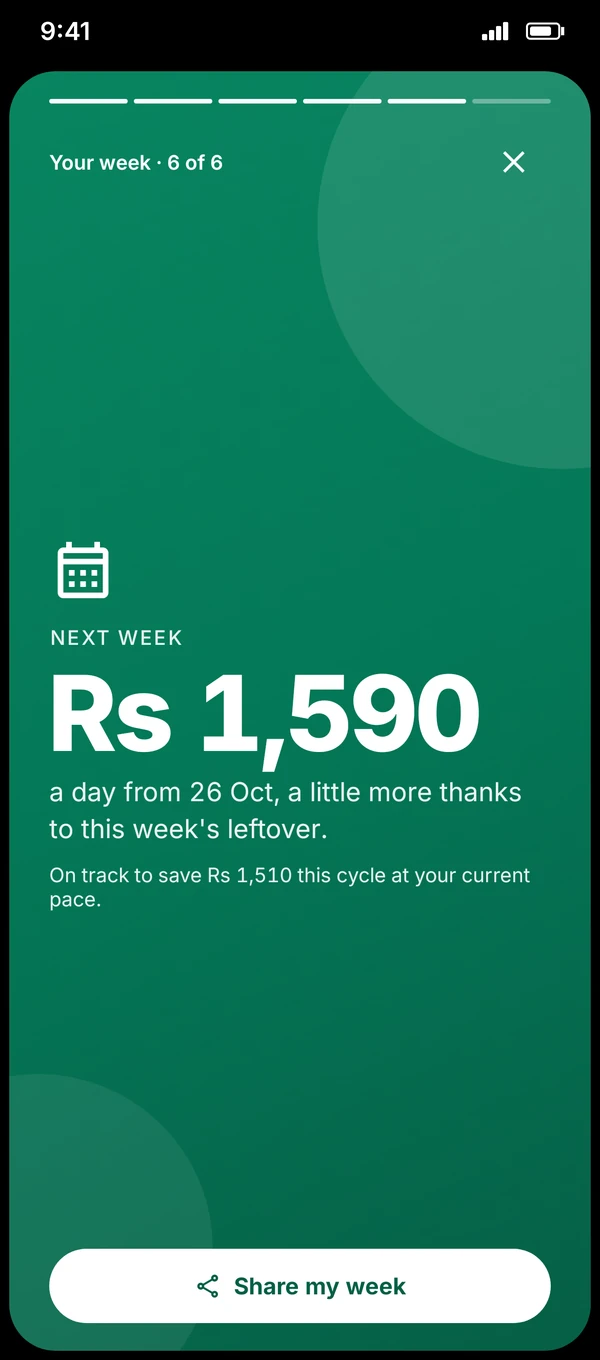
Six quick cards: what you spent, the days you stayed under, your best and toughest day, your top category, your streak and what next week looks like. Tap Your week on the Budget screen to watch it any time.

Week intro: Rs 9,000 spent of Rs 10,180
6 of 7 days under budget
Best day: Sunday
Top category: Food & Dining
5 days in a row under budget
Next week: Rs 1,590 a day, share my week
Sunday 8:00 PM recapTap, hold to pause, swipe throughShare with amounts hidden
Simpler setup

Up and running in a minute.

No currency to pick and no forms to fill. Daamly starts in rupees, so you can log your first expense straight away.

  1. Open DaamlyRupees (PKR) are set up for you. You can still change the currency later in Profile.
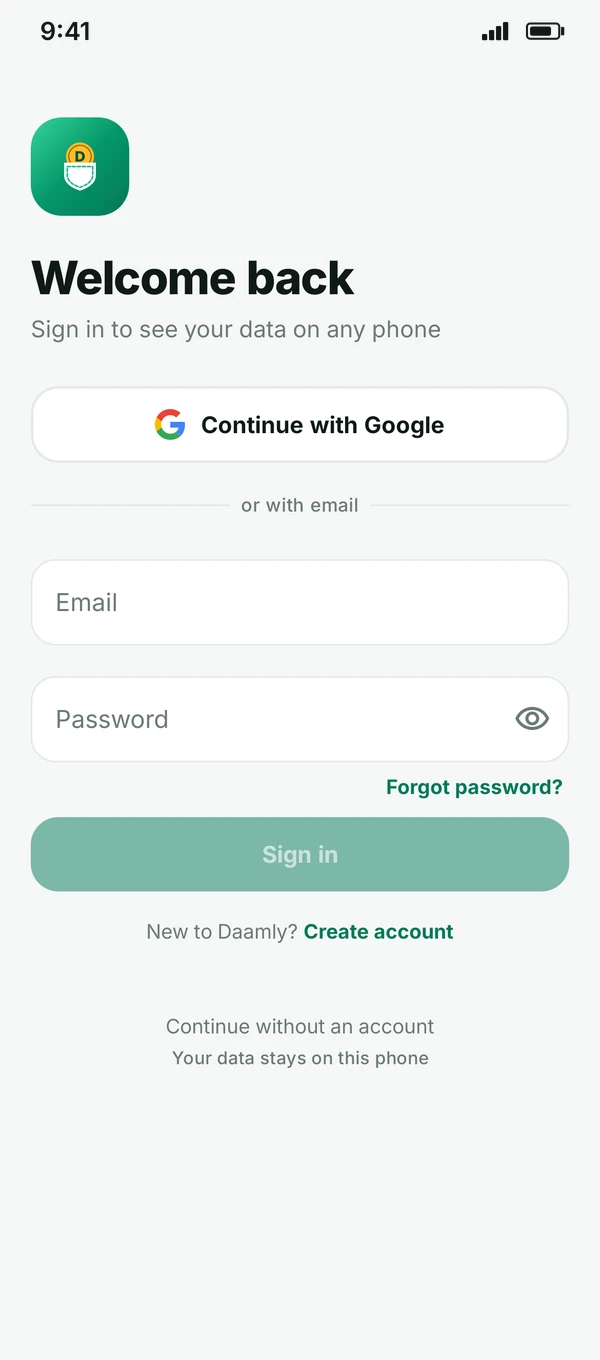
  2. Continue with Google, or skipOne tap to back up and sync, or keep everything on your phone without an account.
  3. Set your payday budgetSalary, payday and bills. Daamly works out the rest.
Daamly sign-in screen with Continue with Google and the four-colour Google G
RsRupees (PKR) are ready to go
Split bills with friends

Shared money, zero awkwardness.

Flatmates, weekend trips, office lunches. Keep one record everyone can see, and always know who owes whom.

Create a share

Name it after the people or the plan, like “Flatmates” or “Weekend trip”.

Friends join in seconds

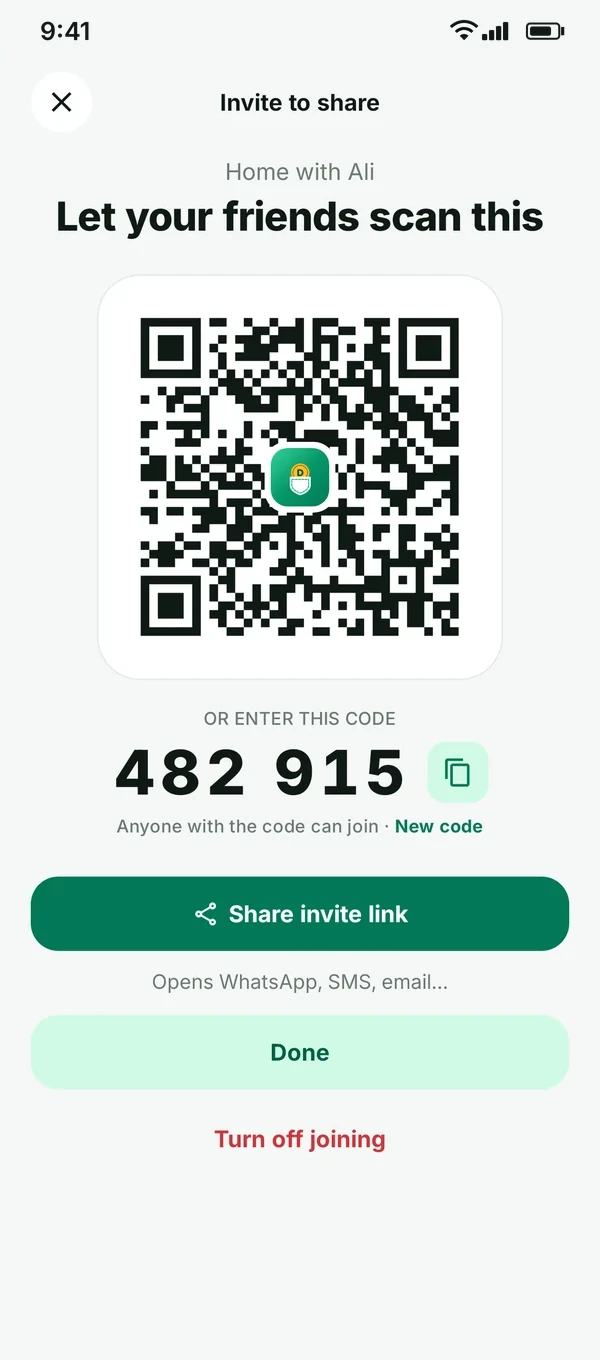
They scan your QR code, type the 6-digit code or tap your invite link. No account needed: they can join as a guest.

Add expenses

Choose who paid, then split equally, by exact amounts or by percentage. Attach the receipt.

Settle up

Daamly shows who owes whom. Record a payment when someone pays, or send a friendly reminder on WhatsApp or SMS.

Invite friends with a QR code or 6-digit code
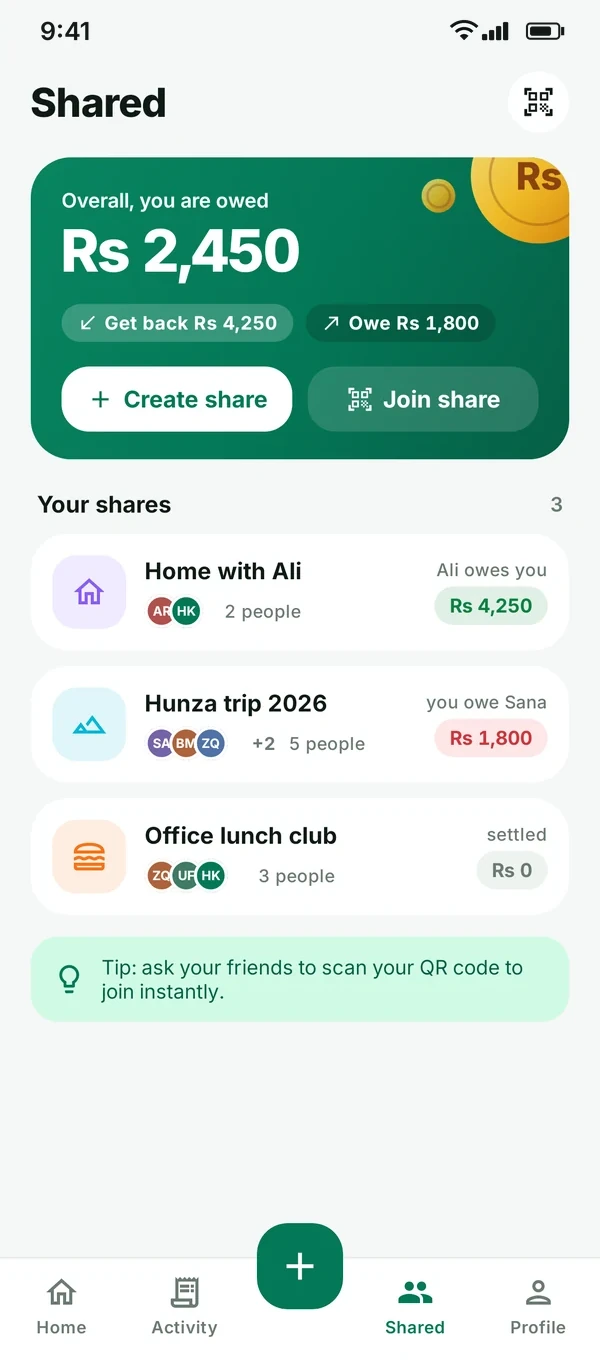
Shared page: overall you are owed Rs 2,450
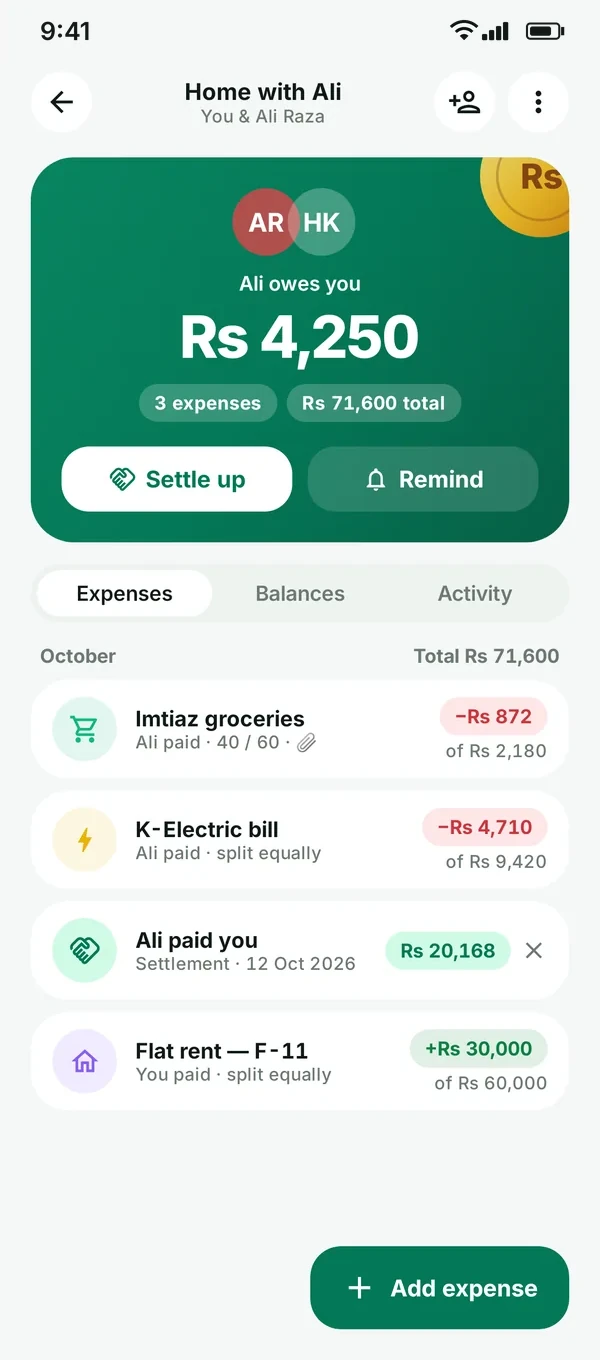
Share detail: who owes you

Daamly keeps the record. It never moves money: you pay each other by cash or bank transfer, as usual.

Your data

Your money is your business.

No ads, no trackers, no selling. Use Daamly without an account, or sign in to sync privately.

No ads. No tracking.

No advertising, analytics or crash-reporting SDKs. We don’t sell your data, ever.

Use it without an account

Your data lives in a private database on your phone. Nothing leaves it unless you sign in or share.

Private when you sync

Sign in and your data is stored in Google Firebase under your own user ID. Only you can read it.

Delete anytime

Edit or delete any entry, leave any share, or delete your account and cloud data from Profile.

FAQ

Good questions.

How do I join the closed test?

Daamly is in closed testing on Google Play (Android only). 1. Join the Daamly testers Google Group. 2. Opt in on Google Play with the same Google account, then install Daamly from the Play Store.

Is Daamly free?

Yes. Daamly is free to use.

When can I download it?

Right now, through the closed test on Google Play for Android phones (two quick steps above). A public launch on Google Play is coming soon.

How does the daily budget work?

You enter your monthly amount and your payday. Bills you list come out first, and the rest is split across the days until your next payday (you can make weekends or special days heavier). Spend less one day and the next days get a little more; go over and it’s spread across the days left.

Do I need to create an account?

No. You can use Daamly without an account and your data stays on your phone. Continue with Google or use email only if you want backup and sync across devices.

Does Daamly read my SMS, emails or bank account?

No. You add entries yourself, which takes a few seconds. Daamly doesn’t read your messages, emails or other apps, and it never moves money, including in shared expenses, where it only records who paid whom.

Can my friends join a share without an account?

Yes. They install Daamly, choose a name and join as a guest by scanning your QR code, entering the 6-digit code or opening your invite link.

Which currencies does Daamly support?

Daamly starts in rupees (Rs) by default, with no setup step. It also supports any currency you like, with 40+ to choose from, including USD, EUR, GBP, AED, SAR, INR, CAD and AUD. Change it any time in Profile.

How do I delete my data?

Delete entries in the app any time. To delete your account and cloud data, go to Profile → Delete account, see Delete your account, or email support.daamly@gmail.com.

Still curious? support.daamly@gmail.com

Daamly logo

Try Daamly now.

Daamly is in closed testing on Google Play. Join in two quick steps.

  1. 1
    Join the Google Group

    Join daamly-testers with the Google account you use on your Android phone.

    Join the group
  2. 2
    Opt in on Google Play

    Open the testing page, tap Become a tester, then install Daamly from the Play Store.

    Opt in on Google Play

Android only. Use the same Google account for both steps.